
You try to register for a new account. You paste a free number into the field and click submit. The text message never arrives. Sometimes the site gives you a direct error message saying the number is invalid. You are completely locked out of the platform.
You might try five different numbers from various free apps. Every single one fails. The platforms track your failed attempts and block your device from trying again. You are stuck in a loop of rejected signups.
You need a guaranteed way to bypass these security walls. Here at Bulk PVA Services, we help professionals solve this exact problem. We will explain exactly how these security systems work and give you the definitive methods to get your accounts verified today.
The Hidden Reason Your Verification Code Never Arrived
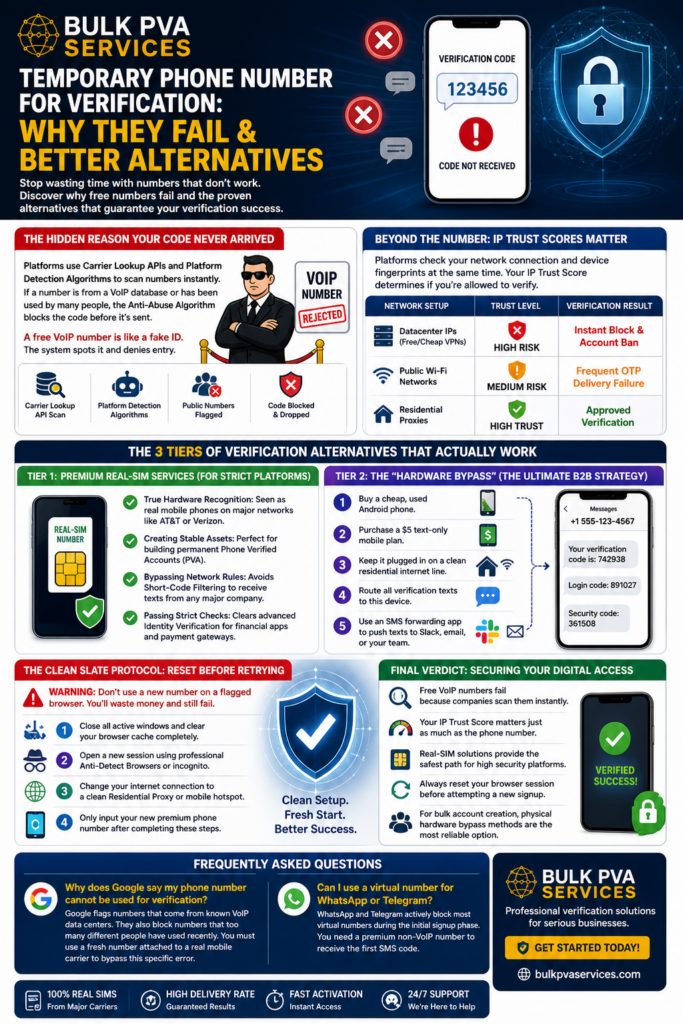
A temporary phone number for verification fails because major platforms use a Carrier Lookup API to scan the number before sending a text. This system instantly detects if the number belongs to a real mobile provider or a virtual Voice over Internet Protocol (VoIP) database.
Think of this system like a nightclub bouncer checking IDs. A free VoIP number is like a fake ID printed on standard copy paper. The bouncer spots it immediately and denies entry.
Big tech companies run complex Platform Detection Algorithms to stop automated bot accounts. When you use public SMS-Activation Services, you are using a number hundreds of other people already used. The platform’s Anti-Abuse Algorithm flags the number as a severe security threat and drops the message entirely.
Beyond the Number: How IP Trust Scores Instantly Block You
Getting a better phone number is only half the battle. High security platforms check your network connection at the exact same time they check your phone number. They assign you an IP Trust Score based on how you connect to their website.
If you try to verify an account using a cheap VPN, you are routing your traffic through Datacenter IPs. Security systems know real customers do not sign up from massive server farms. This creates massive Risk Signals.
The platform also logs your Device Fingerprints. This includes your specific browser settings and screen size. If your first verification attempt fails, your browser footprint is burned. Any future attempts will fail automatically. You must fix your Network Environment before you try a new number.
| Network Setup | Trust Level | Verification Result |
| Datacenter IPs (Free/Cheap VPNs) | High Risk | Instant Block & Account Ban |
| Public Wi-Fi Networks | Medium Risk | Frequent OTP Delivery Failure |
| Residential Proxies | High Trust | Approved Verification |
The 3 Tiers of Verification Alternatives That Actually Work
Finding a working temporary phone number for verification requires understanding your exact security needs. You cannot use the same method for a simple newsletter signup that you would use for a high security banking application. We have broken down the most effective Non-VoIP Verification Solutions into distinct tiers. Implementing the correct tier allows you to master Bypassing Algorithms while maintaining proper Operational Security (OpSec).
Tier 1: Premium Real-SIM Services (For Strict Platforms)
A Real-SIM service completely changes how platforms view your account. These services do not use virtual numbers. They rent out physical hardware connected directly to a major Telecommunications Provider.
- True Hardware Recognition: Platforms see these numbers as real mobile phones connected to networks like AT&T or Verizon.
- Creating Stable Assets: These numbers are perfect for building permanent Phone Verified Accounts (PVA) that will not get blocked later.
- Bypassing Network Rules: Premium SIMs naturally avoid Short-Code Filtering. This means they can receive automated texts from any major company.
- Passing Strict Checks: They clear advanced Identity Verification systems used by financial apps and payment gateways.
Tier 2: The “Hardware Bypass” (The Ultimate B2B Strategy)
Business owners and marketing teams need permanent solutions for Scaling Accounts safely. The ultimate method is the Hardware Bypass. This is what professional teams use to manage access without paying per text message. It is the perfect setup for teams doing heavy Programmatic Testing or bulk API Testing.
- Buy a cheap, used physical Android phone for the office.
- Purchase a basic, five dollar text only mobile plan from a local carrier.
- Keep the phone plugged into a wall outlet and connected to a clean residential internet line.
- Route all company verification texts to this physical device.
- Use an SMS forwarding app to push those texts to your team Slack channel or email.
The Clean Slate Protocol: Resetting Your Session Before Retrying
WARNING: Do not buy a premium number and try to use it immediately if your last attempt failed.
Your browser is still holding onto bad data. If you use a fresh number on a flagged browser, you are just throwing money away. You must focus on Cleaning Device Fingerprints to prevent Triggering Bans. The Bulk PVA Services team recommends following this exact reset process before your next attempt.
- Close all active windows and clear your browser cache completely.
- Open a completely new session using professional Anti-Detect Browsers or a clean incognito window.
- Change your internet connection to utilize clean Residential Proxies or a fresh mobile hotspot.
- Only input your new premium phone number after completing these steps.
Final Verdict: Securing Your Digital Access
Stop wasting time with free online numbers that security systems block instantly. The best temporary phone number for verification is one that looks exactly like a real physical device. You must protect your network environment to pass initial security checks.
Here are your key takeaways for guaranteed verification success:
- Free VoIP numbers fail because companies scan them instantly.
- Your IP Trust Score matters just as much as the phone number you use.
- Real-SIM solutions provide the safest path for high security platforms.
- Always reset your browser session before attempting a new signup.
- For bulk account creation, physical hardware bypass methods are the most reliable option.
Frequently Asked Questions
Why does Google say my phone number cannot be used for verification?
Google flags numbers that come from known VoIP data centers. They also block numbers that too many different people have used recently. You must use a fresh number attached to a real mobile carrier to bypass this specific error.
Can I use a virtual number for WhatsApp or Telegram?
WhatsApp and Telegram actively block most virtual numbers during the initial signup phase. You need a premium non-VoIP number to receive the first SMS code. Once the account is active, you can usually link it to other devices.
How do platforms know I am using a burner app?
Platforms run your number through a database called a carrier lookup tool. This tool tells them exactly which telecom company owns the number. If the owner is a virtual app company instead of a mobile carrier, the platform blocks the text.
Will clearing my cookies fix a failed verification attempt?
Clearing your cookies is a good first step. However, strict websites look at your entire device fingerprint. You should also change your IP address and use a fresh browser session to ensure the platform sees you as a brand new user.
Are paid SMS activation services better than free ones?
Paid services are only better if they explicitly offer Real-SIM numbers. Many cheap paid services still sell VoIP numbers. You must verify the provider uses physical SIM cards to guarantee the text message will arrive.