
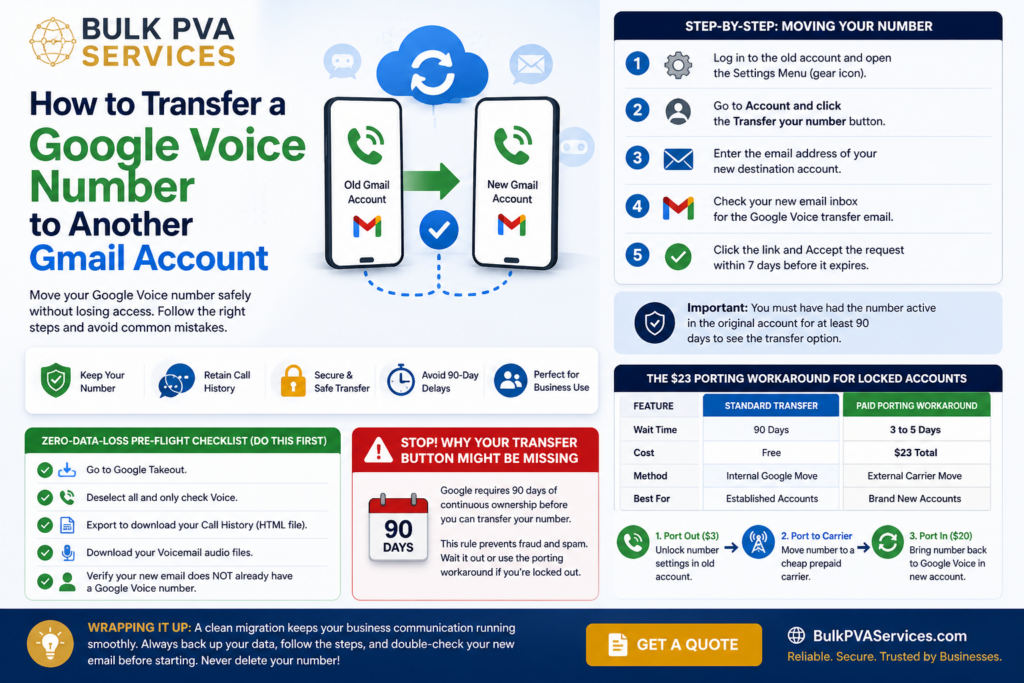
To complete a Google Voice Number Transfer, you must initiate the request from the original Source Account that currently holds the phone number. You cannot start this process from the new destination email. Both accounts must accept Google terms and the number must have been active for at least three months.
Many people use a temporary phone number for verification when signing up for services, but eventually want to move their permanent business line to a dedicated email. A smooth Google Account Migration requires moving away from your Personal Gmail to keep things organized. The problem is that Google hides the transfer button if you do not meet their strict security rules.
Stop! Why Your Transfer Button Might Be Missing
You might log in and realize the option to move your number is completely gone. This happens because of the 90-day ownership requirement. Google forces you to keep a number active in the original account for three continuous months before you can move it. Think of this like a probationary period at a new job. You cannot use your benefits until the time is up.
This rule exists as a form of Telecommunications fraud prevention. Google wants to stop spam accounts from swapping numbers constantly. If you try to Initiate transfer before the three months are up, the button simply will not appear on your screen.
At Bulk PVA Services, we see business owners panic over this daily. If you are moving to a business workspace, the administrator must also approve the request inside the Google Admin Console. You have to wait out the clock or use a paid porting method if you are locked out.
The Zero-Data-Loss Pre-Flight Checklist (Do This First)
Most guides forget to tell you one massive detail. When you move your number, your texts and voicemails stay trapped in the old email. You must back up your data before you click any buttons.
Follow this checklist to Retain call history and avoid losing your client messages:
- Open a new tab and go to Google Takeout.
- Deselect all options and only check the box for Voice.
- Click export to download your entire Call History as an HTML file.
- Download your audio Voicemail files directly to your computer hard drive.
- Verify that your new receiving email does not already have a Voice number attached to it.
Step-by-Step: Moving Your Number to a New Destination Account
Once your data is safe, you can start the actual transfer. You must be physically located in the United States or using a US IP Address to see the right options. Follow these exact steps to complete the move.
- Log into the old account and open the Settings Menu by clicking the gear icon.
- Scroll to the Account section and click the button to transfer your number.
- Type in the email address of your new Destination Account.
- Switch over to your new email inbox and find the email from Google.
- Click the link inside to Accept the request within seven days before it expires.
Remember the major February 2026 update for Google Workspace users. If you are moving a personal number to a business domain, the company administrator must manually approve the incoming number. Sometimes businesses use a temporary phone number for verification during setup, but you still need admin approval to bring your permanent Voice number over.
The $23 Porting Workaround for Locked Accounts
What happens if your transfer button is missing and you cannot wait 90 days? You can use a paid workaround. This method lets you Bypass restriction blocks by moving the number completely off the Google platform and then bringing it back.
Here is how the standard method compares to the paid workaround.
| Feature | Standard Transfer | Paid Porting Workaround |
| Wait Time | 90 Days | 3 to 5 Days |
| Cost | Free | $23 Total |
| Method | Internal Google Move | External Carrier Move |
| Best For | Established Accounts | Brand New Accounts |
To do this, you must pay a Port-out fee ($3) to Unlock number settings in your old account. Next, you port the number to a cheap prepaid mobile Carrier. Wait a few days for the dust to settle.
Finally, you log into your new Gmail account and pay the Port-in fee ($20) to bring the number back into the Google ecosystem.
Wrapping Up Your Seamless Number Migration
Moving your digital assets does not have to be a nightmare. At Bulk PVA Services, we always remind clients to double check their destination email before starting the process. Never click the option to Delete number thinking it will free it up for your new account. That action will permanently destroy your number.
If you follow the steps above, you will avoid the common traps found all over the official Help Forum Support boards. Whether you are using a temporary phone number for verification or securing your permanent business line, a clean migration keeps your communication running smoothly. Keep your old account as a Secondary Number if needed, and enjoy your new setup.
Frequently Asked Questions
Can I transfer a Google Voice number to a Gmail account that already has one?
No. A single Gmail account can only hold one Google Voice number at a time. You must delete or port out the existing number on the destination account before accepting a new transfer.
Why is the transfer button grayed out on my account?
The button remains grayed out if your account has not held the number for 90 continuous days. It will also be disabled if you recently transferred a number within the last four months.
Will I lose my text messages when I move my number?
Yes. Your text messages and voicemails do not move with the phone number. They remain in the original Google account permanently unless you manually export them using Google Takeout.
How long does a Google Voice transfer take?
A direct transfer between two standard personal Gmail accounts is instant. Once you click accept in the destination email, the number is ready to use immediately.
Can I transfer a number from a personal Gmail to a Workspace account?
Yes. As of early 2025, Google allows direct transfers from personal accounts to Workspace accounts. Your Workspace administrator must accept the transfer request in the Admin Console.